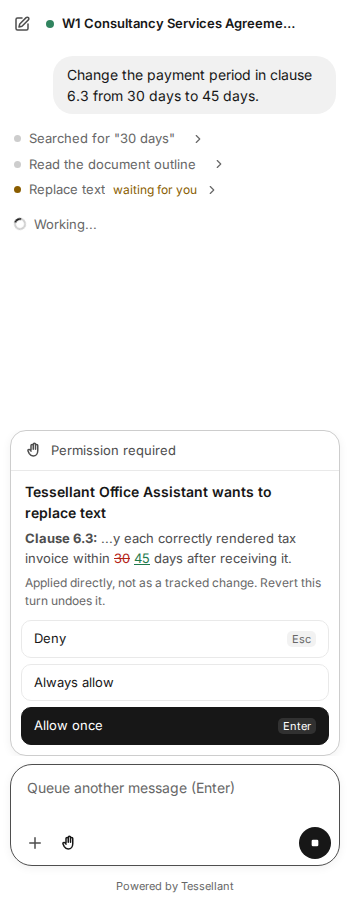
Approve an edit
How: check the change shown above the message box, then choose Allow once (Enter), Deny (Esc) or Always allow (every change for the rest of the chat).
Ask before edits
How: select the hand switch in the message box.
On, the default, you approve each change. Off (it shows Auto), changes are made without asking and can still be reverted.
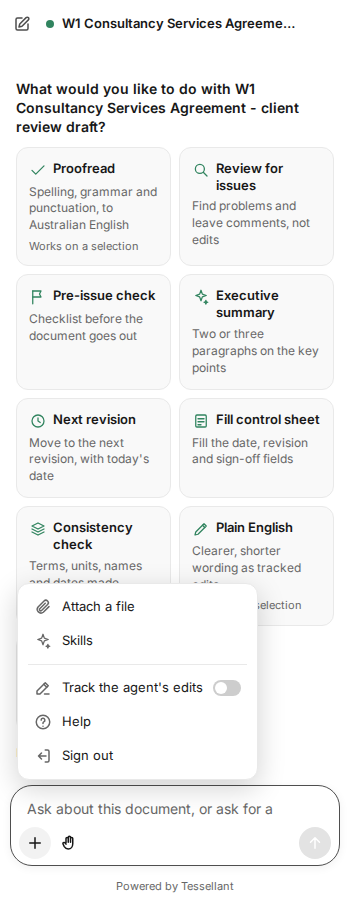
Tracked changes in Word
How: select +, then switch on Track the agent's edits. Accept or reject them in Review.
Your organisation may require this for everyone. The switch then shows Required by your organisation.
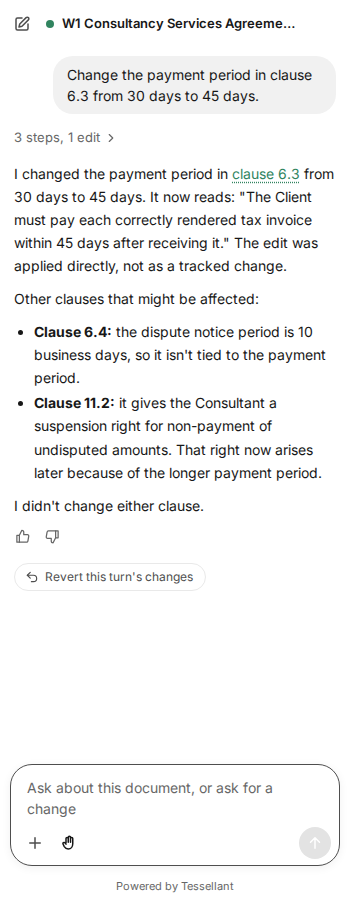
Revert a turn
How: under a turn that changed your file, select Revert this turn's changes.
Check a citation
How: select a link in the answer to jump to that paragraph, cell range or slide in your file.
Continue an earlier chat
How: open the pane on the same file and select Continue your last chat, or choose one from Earlier chats.
In Outlook, chats follow the email conversation.
Give feedback
How: under an answer, select thumbs up or thumbs down, and add a comment if you like.